Battery Status APIについて
はじめに
12月1日から25日まで、毎日1記事ずつ公開していくアドベントカレンダー企画です。
この連載では、Web標準とDDDについて学びを深めていきます。
第13回は「Battery Status API」がテーマです。
Battery Status APIとは何か、どのように実装するのか、実装例を交えて紹介します。
Battery Status APIとは
Battery Status APIはシステムのバッテリー、充電に関する情報やバッテリーや充電状態が変化した時に発生するイベントによる通知を受け取ることができます。
例えば、バッテリーの残量が低くなったことを検知してデータを保存するなどの実装が可能です。
現在、Chrome、Edge、Operaなどで利用可能ですが、FirefoxとSafariでは実装されていません。
元々Firefoxでは実装されていたのですが、バッテリー情報がユーザーの特定に悪用される可能性が指摘されて、プライバシーの懸念も考えられたため削除されました。
Battery Status API being Removed from Firefox due to Privacy Concerns
このように、ブラウザベンダーがAPIを削除することもあるため、ベンダー側の動向も追う必要があると考えます。
Battery Status APIの実装例
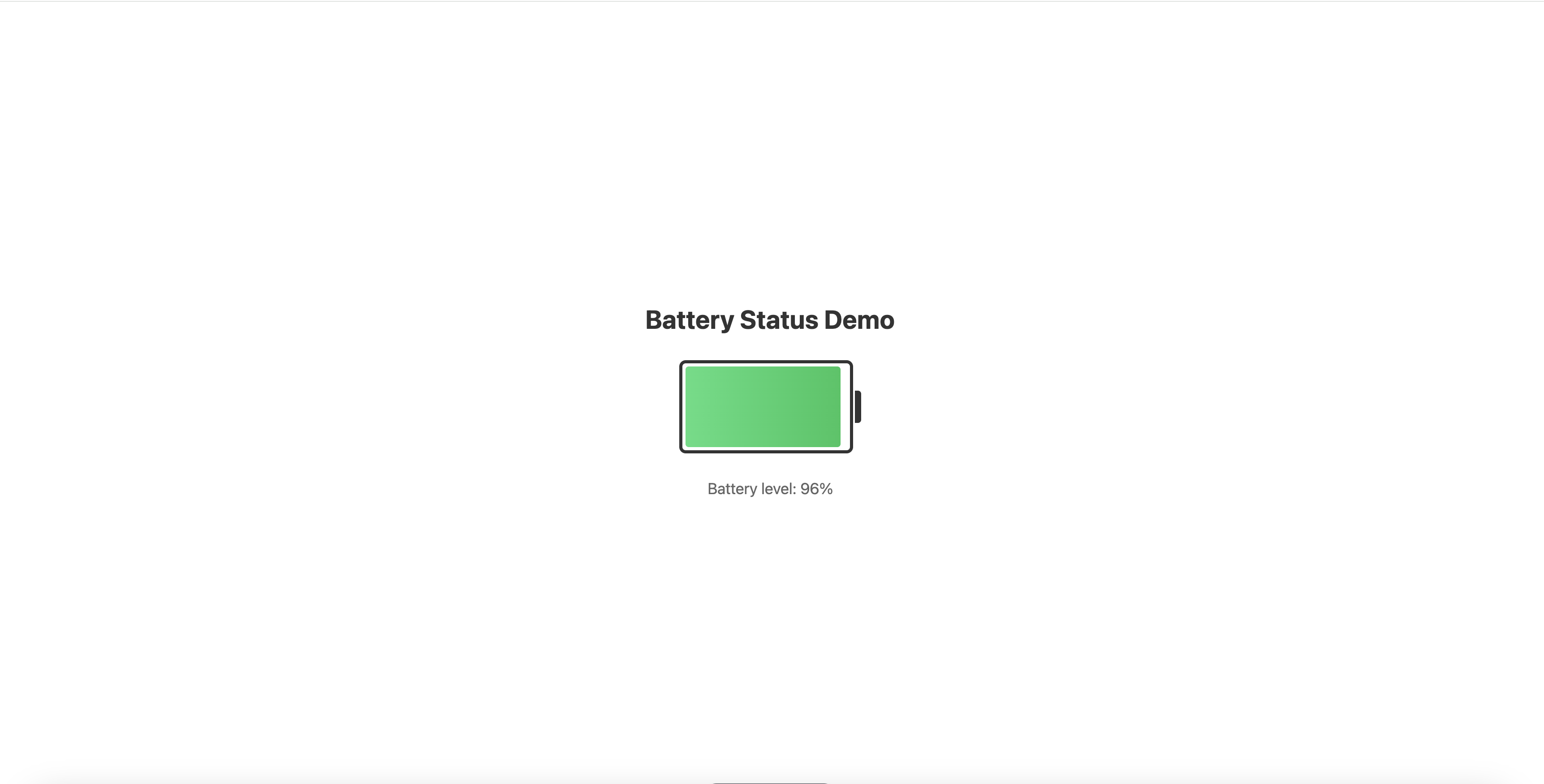
Battery Status APIを用いて、PCのバッテリー残量を取得して視覚的に表示する例です。
このコードでは、navigator.getBattery()でバッテリー情報を取得し、levelchangeイベントで残量の変化を監視しています。残量に応じて色を変更し(20%以下で赤、50%以下で黄色)、視覚的にわかりやすく表示しています。
<html>
  <body>
    <div class="container">
      <h1>Battery Status Demo</h1>
      <div class="battery-container">
        <div class="battery">
          <div class="battery-level" id="batteryLevel"></div>
        </div>
        <div class="battery-tip"></div>
      </div>
      <p id="batteryText"></p>
    </div>
  </body>
</html>
<style>
  body {
    display: flex;
    justify-content: center;
    align-items: center;
    min-height: 100vh;
    margin: 0;
    font-family: system-ui, -apple-system, sans-serif;
  }

  .container {
    text-align: center;
  }

  h1 {
    color: #333;
    margin-bottom: 2rem;
  }

  .battery-container {
    display: flex;
    align-items: center;
    justify-content: center;
    gap: 2px;
    margin: 2rem auto;
  }

  .battery {
    width: 200px;
    height: 100px;
    border: 4px solid #333;
    border-radius: 8px;
    padding: 4px;
    background: #fff;
    position: relative;
    overflow: hidden;
  }

  .battery-level {
    height: 100%;
    background: linear-gradient(to right, #4ade80, #22c55e);
    border-radius: 4px;
    transition: width 0.3s ease, background 0.3s ease;
    width: 100%;
  }

  .battery-level.low {
    background: linear-gradient(to right, #ef4444, #dc2626);
  }

  .battery-level.medium {
    background: linear-gradient(to right, #fbbf24, #f59e0b);
  }

  .battery-tip {
    width: 8px;
    height: 40px;
    background: #333;
    border-radius: 0 4px 4px 0;
  }

  #batteryText {
    font-size: 1.2rem;
    color: #666;
    margin-top: 1rem;
  }
</style>
<script>
  navigator.getBattery().then((battery) => {
    updateLevelInfo();

    battery.addEventListener("levelchange", () => {
      updateLevelInfo();
    });

    function updateLevelInfo() {
      const level = battery.level * 100;
      const batteryLevelEl = document.getElementById('batteryLevel');
      const batteryTextEl = document.getElementById('batteryText');

      console.log(`Battery level: ${level}%`);

      // バッテリーレベルの幅を設定
      batteryLevelEl.style.width = `${level}%`;

      // バッテリーレベルに応じて色を変更
      batteryLevelEl.classList.remove('low', 'medium');
      if (level <= 20) {
        batteryLevelEl.classList.add('low');
      } else if (level <= 50) {
        batteryLevelEl.classList.add('medium');
      }

      // テキスト表示
      batteryTextEl.textContent = `Battery level: ${level}%`;
    }
  });
</script>
まとめ
今回はBattery Status APIについて紹介しました。
バッテリーの残量を取得できるなど、デバイスの情報をもとに機能を実装できるAPIです。
また、WebAPI全体の話としては、ブラウザベンダー側の考えによってAPIの実装の有無が変わるので、既存のAPIの動向もしっかり追っていきたいと思います。
参考
https://developer.mozilla.org/en-US/docs/Web/API/Battery_Status_API https://w3c.github.io/battery/ https://www.bleepingcomputer.com/news/software/battery-status-api-being-removed-from-firefox-due-to-privacy-concerns/ https://www.cs.princeton.edu/~arvindn/publications/OpenWPM_1_million_site_tracking_measurement.pdf?ref=blog.lukaszolejnik.com